
Introduction
Choosing the right VPS hosting plan involves more than deciding how much RAM or storage your business needs. Another important factor is CPU capacity, especially the number of processor cores allocated to your virtual server.
CPU cores handle the instructions required to run websites, applications, databases, and background processes. When your server receives requests from visitors or performs complex operations, its CPU resources help process that workload.
Choosing too few CPU cores may create performance limitations when your applications become busy. However, paying for more processing power than your business requires can increase hosting expenses without delivering meaningful benefits.
For small businesses, understanding VPS CPU cores is essential when comparing hosting plans. A simple company website, a growing online store, and a database-driven application do not necessarily need the same processing capacity.
So, how many VPS CPU cores do you actually need?
The answer depends on your software, website traffic, simultaneous requests, database activity, and workload complexity. This guide explains how CPU cores work, compares common VPS configurations, and helps you choose the right amount of processing power for your business.
What Are CPU Cores in VPS Hosting?
A CPU, or Central Processing Unit, is responsible for executing instructions and performing calculations required by the operating system and applications.
A processor core is an individual processing unit within a CPU. Multiple cores allow a system to execute multiple tasks simultaneously, depending on how the operating system and applications distribute their workloads.
In VPS hosting, providers allocate virtual CPU resources to virtual machines. These resources are commonly presented as vCPUs.
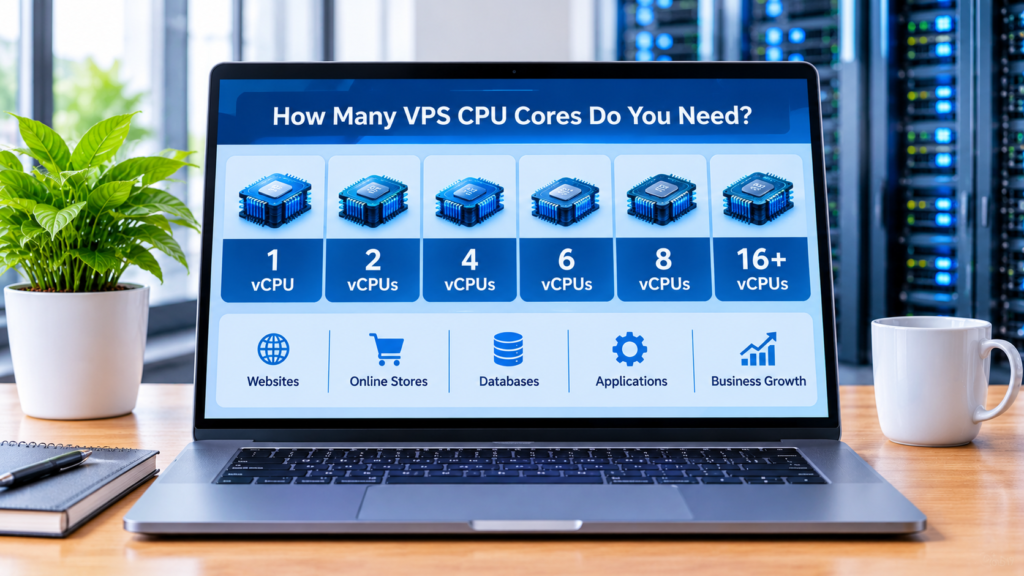
For example, a VPS plan may include:
- 1 vCPU
- 2 vCPUs
- 4 vCPUs
- 6 vCPUs
- 8 vCPUs
- 16 vCPUs or more
A vCPU represents a virtual processing resource allocated to your VPS. Its actual performance depends on the hosting provider’s underlying hardware, virtualization technology, CPU scheduling, and resource allocation policies.
This means that two VPS plans advertising the same number of vCPUs may not deliver identical performance.
When comparing providers, it is important to look beyond the advertised core count and consider the overall CPU performance and hosting environment.
Why Do VPS CPU Cores Matter for Small Businesses?
CPU capacity affects how quickly your server can process workloads. It becomes particularly important when several visitors access your website or when applications perform resource-intensive operations.
Here are some reasons why CPU resources matter.
1. Faster Request Processing
When visitors open pages, submit forms, or interact with applications, the server must process their requests.
Adequate CPU capacity helps the server handle these operations without becoming overloaded.
2. Better Performance During Busy Periods
A business website may experience periods when many users access it simultaneously.
More processing capacity can help manage concurrent workloads, although the actual benefit depends on how efficiently the application uses multiple cores.
3. Improved Application Responsiveness
Some applications perform complex calculations, process files, or execute background tasks.
These operations can require significant CPU resources, particularly when several processes run simultaneously.
4. More Capacity for Database Operations
Databases perform tasks such as processing queries, filtering records, and handling transactions.
CPU availability can influence database performance, especially when queries are complex or several requests are processed at the same time.
5. Greater Flexibility as Your Business Grows
As your business expands, your website and applications may receive more requests.
Choosing an appropriate CPU configuration gives you processing capacity for your current workload and helps you plan future upgrades.
How Many VPS CPU Cores Do You Need?
There is no single CPU configuration suitable for every business.
The following table provides general starting points for different types of workloads. These are planning guidelines, not guaranteed performance recommendations.
| VPS CPU Allocation | Possible Use Cases | General Recommendation |
|---|---|---|
| 1 vCPU | Testing, static websites, lightweight services | Very small workloads |
| 2 vCPUs | Small business websites and basic applications | Entry-level production workloads |
| 4 vCPUs | Growing websites and small online stores | More processing flexibility |
| 6 vCPUs | Multiple websites and busier applications | Moderate workloads |
| 8 vCPUs | Resource-intensive websites and applications | Higher-demand environments |
| 16+ vCPUs | Large applications and demanding workloads | Requires careful assessment |
The right choice depends on more than the number of visitors your website receives.
You should also consider application architecture, software efficiency, database activity, memory allocation, and whether your workload can actually use multiple CPU cores effectively.
1. VPS with 1 vCPU: Is It Enough?
A VPS with 1 vCPU is generally designed for lightweight workloads.
It may be suitable for:
- Static websites
- Small development projects
- Testing environments
- Basic landing pages
- Lightweight services with limited activity
For example, a simple website with mostly static pages may not require significant processing capacity.
However, 1 vCPU can become restrictive when several applications run simultaneously or when a website performs frequent database operations.
If your business depends on a dynamic website, an online store, or multiple background services, you should carefully evaluate whether this configuration provides enough processing capacity.
It is also important to check the CPU performance of the underlying server rather than relying only on the advertised vCPU count.
2. VPS with 2 vCPUs: A Basic Business Configuration
A 2-vCPU VPS can be a practical starting point for some small business workloads.
It provides more processing flexibility than a single-vCPU configuration and may support a small website with moderate activity.
Possible use cases include:
- Small company websites
- Basic WordPress installations
- Lightweight business applications
- Small database-driven websites
- Development and staging environments
However, the amount of RAM, storage performance, and application configuration still influence the overall result.
For example, a website with several resource-intensive plugins may struggle even when its VPS has two vCPUs.
Businesses should test their actual workloads and monitor CPU usage before deciding whether an upgrade is necessary.
3. VPS with 4 vCPUs: A Flexible Option for Growing Websites
A 4-vCPU VPS may provide more processing capacity for businesses operating dynamic websites or applications with several simultaneous tasks.
It may be suitable for:
- Growing WordPress websites
- Small and medium online stores
- Business applications
- Multiple lightweight websites
- Websites with more database activity
The additional vCPU allocation can help when applications have several tasks that can run concurrently.
However, adding CPU cores does not automatically make every operation faster. Some tasks are mainly single-threaded and may not benefit significantly from additional cores.
For this reason, businesses should identify their actual performance bottlenecks before purchasing a larger configuration.
4. VPS with 6 vCPUs: Supporting More Simultaneous Workloads
A VPS with 6 vCPUs may be appropriate when a business runs several services or handles a larger volume of simultaneous requests.
Potential use cases include:
- Multiple business websites
- More active online stores
- Applications with several background workers
- Database-driven business platforms
- Websites with demanding server-side operations
For example, a business may operate its main website, customer portal, and internal application on one VPS.
Each application consumes processing resources. When several services become active at the same time, additional CPU capacity may help maintain responsiveness.
The actual benefit still depends on the efficiency of the applications and the resources allocated by the hosting provider.
5. VPS with 8 vCPUs: For More Demanding Applications
An 8-vCPU VPS can offer greater processing flexibility for businesses with more demanding workloads.
It may be worth considering for:
- Larger online stores
- Multiple dynamic websites
- Applications with frequent background processing
- More demanding database workloads
- Business platforms handling many simultaneous requests
This configuration can be useful when monitoring shows that smaller VPS plans regularly experience high CPU utilization.
However, businesses should also examine RAM, storage, and network performance.
If the actual bottleneck is insufficient memory or slow storage, increasing CPU allocation alone may not solve the problem.
6. VPS with 16 vCPUs or More: When Do You Need It?
A VPS with 16 vCPUs or more is generally intended for more demanding workloads.
Potential use cases include:
- Large database-driven applications
- Resource-intensive business platforms
- Multiple applications running simultaneously
- High-demand eCommerce environments
- Heavy background processing
- Complex server-side workloads
However, these configurations are not necessary for most small business websites.
Before purchasing a high-CPU VPS, evaluate whether your software can use the additional processing resources effectively.
In some situations, optimizing the application, improving database queries, or distributing workloads across multiple servers may provide better results.
7. How Website Traffic Affects VPS CPU Requirements
Website traffic can influence CPU usage, but monthly visitor numbers alone do not determine how many cores you need.
Two websites receiving similar traffic can have very different processing requirements.
A simple informational website may serve many cached pages with relatively little processing.
An online store, on the other hand, may perform database queries, calculate prices, update shopping carts, and process customer requests.
Factors that influence CPU requirements include:
- Number of simultaneous visitors
- Complexity of website pages
- Server-side scripts
- Database queries
- Caching configuration
- Background tasks
- Plugins and extensions
- Application architecture
Concurrent requests are particularly important.
A website receiving many visits throughout the day may use fewer resources than a smaller website experiencing a sudden increase in simultaneous activity.
Businesses should monitor CPU utilization during busy periods to understand their real requirements.
8. How WordPress Affects VPS CPU Usage
WordPress is widely used by businesses, but its CPU requirements depend on how the website is built and maintained.
A lightweight WordPress installation may operate comfortably with modest processing resources.
However, CPU usage can increase when a website includes:
- Numerous plugins
- Complex page builders
- WooCommerce
- Advanced search features
- Dynamic content
- Frequent database queries
- Backup and security processes
- Resource-intensive themes
The number of simultaneous visitors also affects processing demand.
A well-optimized WordPress website with caching may require fewer server resources than a poorly optimized installation with unnecessary plugins.
Before upgrading your VPS, review your website’s performance, plugin usage, caching configuration, and database activity.
9. Does an Online Store Need More CPU Cores?
An online store may require more processing capacity than a simple company website because it performs additional operations.
These can include:
- Product searches
- Shopping cart updates
- Customer account requests
- Checkout operations
- Inventory synchronization
- Database queries
- Order management
- Payment-related application requests
The exact requirements depend on the eCommerce platform, number of products, installed extensions, and customer activity.
A small store with limited traffic may operate comfortably on a modest VPS configuration.
A larger store with frequent simultaneous orders, complex product filters, and multiple integrations may require more processing capacity.
Businesses should pay particular attention to checkout performance because delays during the purchase process can negatively affect the customer experience.
10. CPU Cores vs RAM: What Is the Difference?
CPU cores and RAM are both important VPS resources, but they perform different functions.
CPU cores handle instructions and calculations, while RAM temporarily stores the data and processes that applications need during operation.
For example:
- CPU processes application requests.
- RAM provides temporary working memory.
- Storage holds website files and databases.
- Network resources transfer data between the server and visitors.
A VPS can have many CPU cores but insufficient RAM, which may create memory pressure.
Likewise, a VPS with plenty of RAM but limited processing capacity may struggle with CPU-intensive applications.
The goal is to choose a balanced configuration.
Businesses should consider both CPU and RAM requirements when comparing VPS plans rather than focusing on only one resource.
11. How to Check Whether Your VPS Needs More CPU Cores
Before upgrading your VPS, examine how your current server uses its processing resources.
On many Linux VPS systems, you can use the following commands.
Check CPU Information
lscpuThis command displays information about the processor architecture and available CPU resources.
Monitor CPU Usage
topThis allows you to observe running processes and their CPU consumption.
You can also use:
htopif the utility is installed.
Check System Load
uptimeThis displays system uptime and load averages.
Load averages should be interpreted in relation to the number of available CPU cores. A high load average does not automatically mean the server needs more cores, because processes may also be waiting for disk or other resources.
When monitoring your VPS, consider:
- CPU utilization during normal activity
- CPU usage during peak traffic
- Processes consuming excessive CPU resources
- Application response times
- Database performance
- System load in relation to available CPU capacity
- Whether CPU usage remains high over extended periods
If CPU utilization frequently remains high and application performance suffers, additional processing capacity may be worth considering.
However, first investigate whether inefficient code, database queries, or unnecessary background tasks are causing the problem.
12. Should You Upgrade CPU Cores or Optimize Your Website First?
When a website becomes slow, adding more CPU cores is not always the best solution.
The underlying problem may come from inefficient software or poorly configured services.
Before upgrading, consider these actions:
- Remove unnecessary plugins and extensions.
- Optimize database queries.
- Enable suitable caching.
- Review resource-intensive scripts.
- Reduce unnecessary background processes.
- Update your applications and server software.
- Test website performance during peak traffic.
- Identify whether CPU, RAM, or storage is the actual bottleneck.
If CPU usage remains consistently high after optimization, upgrading your VPS may be appropriate.
This approach helps businesses avoid paying for additional processing capacity when a configuration improvement could solve the problem.
13. Other VPS Resources to Consider Before Buying
CPU cores are only one part of a hosting configuration.
When comparing VPS plans, review the complete resource allocation.
RAM
Memory is required by the operating system, applications, databases, and background services.
Make sure the plan provides enough RAM for your expected workload.
Storage Type
SSD and NVMe storage can influence how quickly the server reads and writes files and database information.
Storage Capacity
Check whether the plan provides enough space for website files, databases, logs, and backups.
Network Performance
Network quality, server location, and routing can affect how quickly visitors communicate with your server.
Backup Policies
Review backup frequency, retention periods, restoration procedures, and whether backups are included in the hosting package.
Upgrade Flexibility
Your business may need additional resources as applications and traffic grow.
Check whether the provider allows upgrades and whether the process involves downtime or migration.
14. How to Choose the Right VPS CPU Configuration
Choosing the right CPU configuration requires understanding your current workload and future requirements.
Follow these steps before purchasing a VPS.
Step 1: Identify Your Workload
Determine whether you are hosting a simple website, an online store, a database-driven application, or several services.
Step 2: Check Software Requirements
Review the technical requirements of your operating system, applications, databases, and control panels.
Step 3: Estimate Concurrent Activity
Consider how many visitors, users, or background processes may operate simultaneously.
Step 4: Evaluate CPU and RAM Together
Make sure the VPS provides a balanced combination of processing capacity and memory.
Step 5: Consider Storage and Network Quality
A strong CPU configuration cannot compensate for every storage or network limitation.
Step 6: Compare Hosting Providers
Evaluate the complete hosting package, including:
- vCPU allocation
- CPU performance and resource policies
- RAM allocation
- Storage type and capacity
- Network performance
- Server locations
- Operating system options
- Technical support
- Backup policies
- Upgrade options
- Renewal pricing
Step 7: Monitor and Adjust
After launching your website, monitor its performance and adjust the VPS configuration when actual usage justifies an upgrade.
15. Is OpenVista VPS Hosting Worth Considering?
After identifying how many CPU cores your business needs, the next step is comparing VPS hosting providers.
OpenVista is one provider you can investigate when evaluating VPS hosting options.
Before choosing a plan, review the available configurations and confirm the resources included in each package.
Pay particular attention to:
- Number of allocated vCPUs
- RAM capacity
- Storage type and capacity
- Network performance
- Server locations
- Management options
- Technical support
- Backup policies
- Upgrade flexibility
- Renewal prices
Do not choose a VPS simply because it advertises a large number of CPU cores. The quality of the underlying infrastructure and the balance between resources are equally important.
If you are comparing providers, you can review the available options here:
Explore OpenVista VPS Hosting Plans
Compare the available configurations with your actual requirements before purchasing. Make sure the selected plan provides sufficient processing capacity, memory, and storage for your applications.
Affiliate disclosure: This article contains an affiliate link. If you purchase a service through this link, Veynoxa may earn a commission at no additional cost to you. This does not affect our editorial recommendations.
Best Practices for Managing VPS CPU Resources
Choosing an appropriate CPU configuration is only the first step. Regular monitoring and optimization help maintain reliable server performance.
Follow these best practices:
- Monitor CPU utilization regularly.
- Review resource usage during peak traffic.
- Remove unnecessary applications and services.
- Keep server software updated.
- Optimize database queries.
- Use caching where appropriate.
- Review resource-intensive plugins.
- Monitor background processes.
- Test performance after major website updates.
- Upgrade CPU resources when monitoring data shows a genuine need.
A properly optimized VPS can often deliver better results than a larger server running inefficient software.
Common Mistakes to Avoid When Choosing VPS CPU Cores
Businesses sometimes select hosting plans based on advertised specifications rather than actual requirements.
Avoid these common mistakes:
1. Choosing a VPS based only on the number of vCPUs
The number of virtual cores does not tell the whole story. Underlying hardware and resource allocation also matter.
2. Assuming more CPU cores always mean faster websites
Some applications cannot efficiently use multiple cores, so additional processing resources may provide limited benefits.
3. Ignoring RAM requirements
A server with sufficient CPU capacity can still experience problems if it does not have enough memory.
4. Focusing only on monthly traffic
Concurrent activity and application complexity are also important.
5. Ignoring database performance
Inefficient queries can consume processing resources and slow down applications.
6. Buying an oversized VPS too early
Purchasing more CPU capacity than your workload requires can increase hosting costs unnecessarily.
7. Forgetting storage and network performance
CPU is only one part of the complete hosting environment.
8. Failing to monitor server usage
Without monitoring, it is difficult to identify the real cause of performance problems.
Frequently Asked Questions
1. How many CPU cores do I need for a VPS?
A small website may operate with 1 or 2 vCPUs, while a growing website or application may benefit from 4 or more. The right configuration depends on workload complexity, concurrent activity, and software requirements.
2. Is 2 vCPU enough for WordPress?
Two vCPUs may be sufficient for a small, well-optimized WordPress website with limited activity. Websites with many plugins, dynamic features, or more visitors may need additional processing capacity.
3. Is 4 vCPU good for an online store?
A 4-vCPU VPS may be a reasonable starting point for some small online stores. Larger stores with frequent simultaneous orders and complex integrations may require more resources.
4. Does more CPU mean faster VPS hosting?
Not necessarily. Performance also depends on CPU quality, RAM, storage, network conditions, and software optimization. Some applications benefit more from faster individual cores than from a higher core count.
5. What is the difference between CPU cores and vCPUs?
A physical CPU core is a processing unit in a physical processor. A vCPU is a virtual processing resource allocated to a virtual machine. The relationship between vCPUs and physical CPU hardware depends on the provider’s virtualization and resource allocation model.
6. Can I upgrade CPU cores later?
Many VPS providers offer plans with different CPU allocations, but upgrade policies vary. Check whether upgrades are available, whether they require downtime, and whether migration is necessary.
7. How can I tell if my VPS needs more CPU power?
Monitor CPU utilization, system load, application response times, and resource-intensive processes. If CPU usage remains high and performance suffers after optimization, a larger configuration may be appropriate.
8. Should I choose more CPU cores or more RAM?
It depends on the workload. Applications that perform many calculations may need more CPU capacity, while applications that manage large amounts of active data may need more RAM. Many businesses need a balanced combination of both.
Conclusion
Choosing the right number of VPS CPU cores is an important decision for small businesses that depend on websites and online applications.
A lightweight website may operate with 1 or 2 vCPUs, while growing websites, online stores, and more demanding applications may benefit from 4, 6, or 8 vCPUs. Larger workloads may require 16 or more, depending on their actual processing requirements.
However, more CPU cores do not automatically guarantee better performance.
You should evaluate CPU allocation alongside RAM, storage, network quality, software configuration, and expected traffic.
Before purchasing a VPS, compare hosting providers carefully and select a configuration that matches your business workload.
By monitoring performance and optimizing your applications, you can maintain a reliable hosting environment while avoiding unnecessary infrastructure costs.